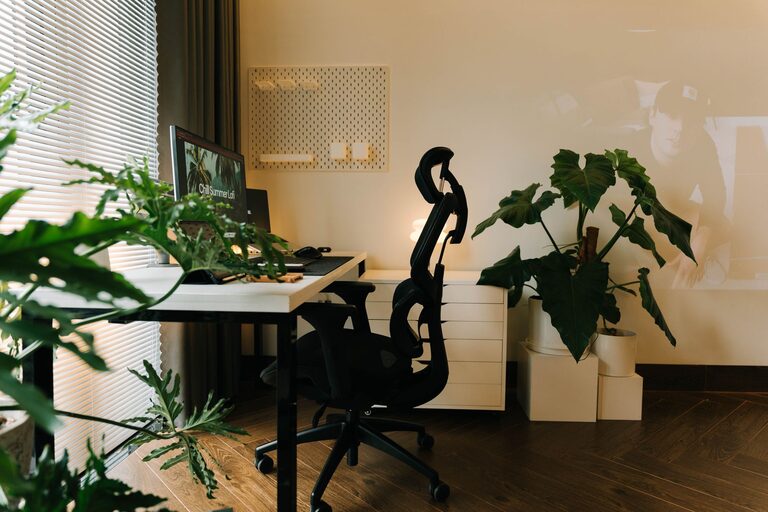

Creating a clutter-free and productive home workspace is key to maintaining focus and efficiency throughout your workday. With many people working from or studying at home, having an organized area dedicated to your tasks can make a significant difference. In this post, we’ll share practical tips on how to set up and keep a home workspace that boosts your productivity and reduces distractions.
Why Organizing Your Home Workspace Matters
A tidy workspace helps clear your mind and reduces stress. When everything has its place, you spend less time searching for items and more time focusing on your work. An organized setup also promotes better posture and reduces physical strain by helping you create an ergonomic environment.
Step 1: Choose the Right Spot
Finding the ideal location for your home workspace is the foundation of an organized setup.
– Pick a quiet area: Select a spot away from noise and high traffic to minimize interruptions.
– Use natural light when possible: Position your desk near a window to benefit from daylight, which can enhance mood and energy.
– Consider your needs: Decide whether you need extra space for equipment, storage, or collaborative work.
Step 2: Declutter and Simplify
Before you start adding furniture or supplies, clear the area.
– Remove unnecessary items: Take everything off the desk and only return what you truly need.
– Sort and organize: Group similar items together, like office supplies or documents.
– Keep surfaces clear: Clutter-free surfaces help maintain a sense of calm and focus.
Step 3: Invest in Smart Storage Solutions
Proper storage helps maintain an orderly environment.
– Desk organizers: Use trays, pen holders, and file racks to keep small items tidy.
– Shelving units: Open or closed shelves can store books, equipment, and decor.
– Drawers and cabinets: Store paperwork and less frequently used supplies out of sight.
– Labeling: Label storage bins or folders to find things quickly and encourage consistent organization.
Step 4: Optimize Your Desk Setup
A well-arranged desk supports productivity and comfort.
– Prioritize essentials: Keep the items you use daily within easy reach.
– Ergonomic placement: Position your computer screen at eye level and the keyboard at a comfortable height.
– Cable management: Use clips, ties, or sleeves to organize cords and prevent tangling.
– Personal touches: Add a plant or a photo to create a pleasant atmosphere without overcrowding space.
Step 5: Create a Routine for Maintenance
Keeping your workspace organized requires regular effort.
– End-of-day tidy-up: Spend 5 minutes clearing your desk and organizing materials before finishing work.
– Weekly review: Go through papers, files, and supplies weekly to discard or file items as needed.
– Adapt as needed: Adjust your setup over time to accommodate changing work habits or projects.
Additional Tips for Staying Productive
– Use task lists: Keep a to-do list visible to stay focused on priorities.
– Minimize distractions: Turn off unnecessary notifications and consider noise-canceling headphones if needed.
– Take breaks: Schedule short breaks to refresh your mind and maintain energy levels.
– Stay hydrated and comfortable: Keep a water bottle nearby and maintain a comfortable room temperature.
Final Thoughts
An organized and clutter-free home workspace helps you work smarter, not harder. By choosing the right location, keeping your space tidy, and maintaining good habits, you can create an environment that supports your goals and well-being. Start with small changes and personalize your workspace to make it a place where productivity flows naturally.
About the Author